The practice now has self check-in terminals installed at both of our practice sites, University Health Centre and Claypath Medical Centre
If you have an appointment at either location, you can now quickly and easily check in using the terminal when you arrive
To save you time and avoid the queue at reception, please use our self-check-in screen when you arrive. Here is a quick guide on how to use it:
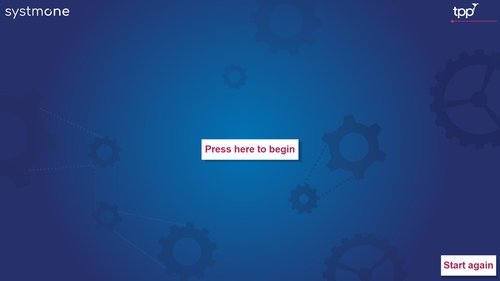
1) Start the Process Tap the large white button in the centre that says "Press here to begin."
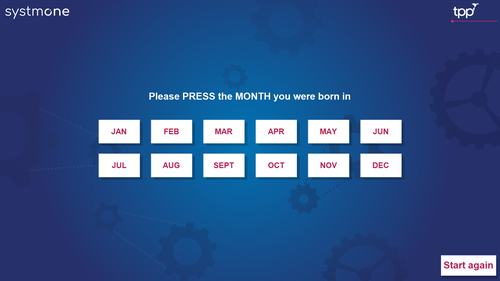
2) Enter Your Birth Month A screen will appear with all 12 months. Simply press the MONTH you were born in.
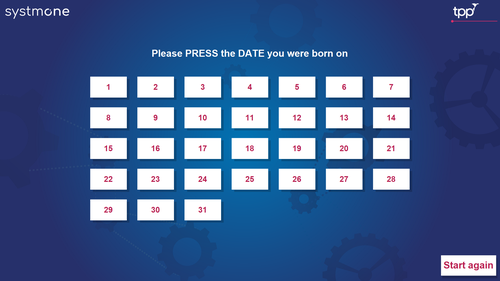
3) Enter Your Birth Date Next, select the DATE of the month you were born on (1–31).
4) Confirmation The screen will confirm you have been successfully checked in. The screen will now ONLY DISPLAY THE CLINICIANS NAME that you are attending your appointment with.
Where do I go now?
Once you are checked in, depending on which site you are attending your appointment please head to the correct waiting area:
University Health Medical Centre Site:
- All Appointments: Please stay DOWNSTAIRS Waiting Room
Claypath Medical Centre Site:
- Doctor Appointments: Please head UPSTAIRS Waiting Room
- Nurse Appointments: Please stay DOWNSTAIRS Waiting Room
If you have any trouble with the screen, don't worry! Our reception team is always happy to help.